Analytics Overview

Redesigning Snyk Analytics: Turning Security Data Into Decisions
โ€
Snyk Analytics is the central reporting hub used by security stakeholders to understand vulnerability posture, developer behavior, and remediation performance across their organisation.The team identified an opportunity to create an Analytics homepage - a central place where security stakeholders could track progress, generate reports, and address different use cases.

My role: Partnered with PMs, engineers, and fellow designers, facilitating stakeholder workshops to validate the idea and align on direction.

  1. ๐Ÿงข Role

    Product Designer

  2. ๐Ÿ™Œ Collaborator

    Product Managers, Design System Designer

  3. ๐Ÿ—“๏ธ Date

    2025

Problem

The existing Analytics experience was data-rich but insight-poor.
๐Ÿ“ˆ No centralised view that told a coherent performance story
๐Ÿ“ˆ High cognitive load too many charts, filters, and technical terms
๐Ÿ“ˆ Unclear value for leadership teams struggled to answer basic questions like โ€œAre we improving?โ€ or โ€œWhere are the biggest risks?โ€

Outcome

๐Ÿ“ˆ Shifted product and leadership conversations from โ€œWhich charts should we show?โ€ to โ€œWhat decisions must this data enable?โ€
๐Ÿ“ˆ Established a repeatable analytics model that now guides how new data modules are structured and evaluated.
๐Ÿ“ˆ Prioritized insights based on the decision-making needs of security stakeholders, rather than raw data volume or chart count. โ€

My Contribution

I led the research and reframed Analytics around decision-making, not data presentation.

Discovery opportunity

Identify which metrics are most valuable for AppSec users to measure performance, and how they prefer to explore data when answering questions or proving impact.
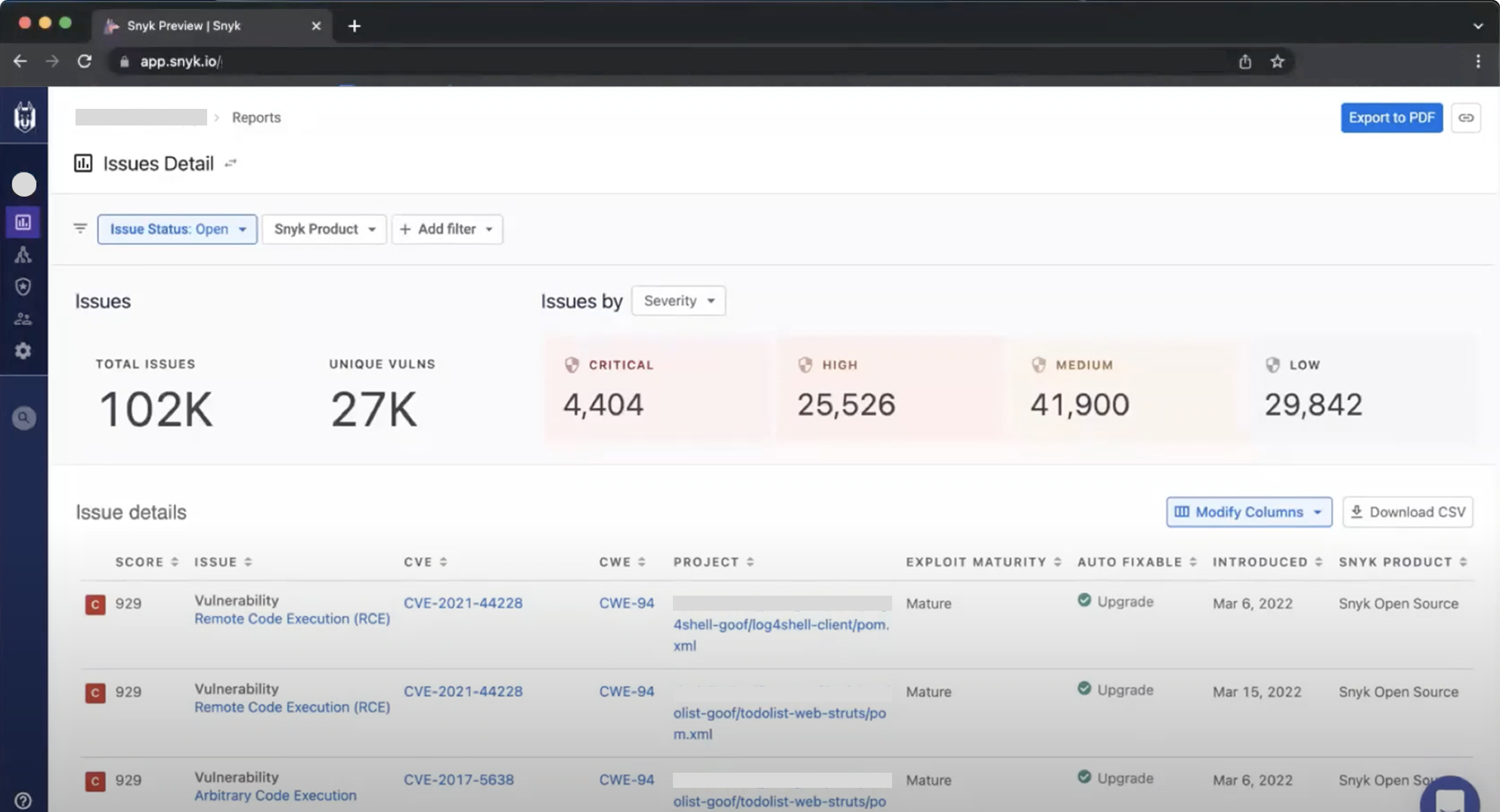
Figure 1: Initial production design
Methods

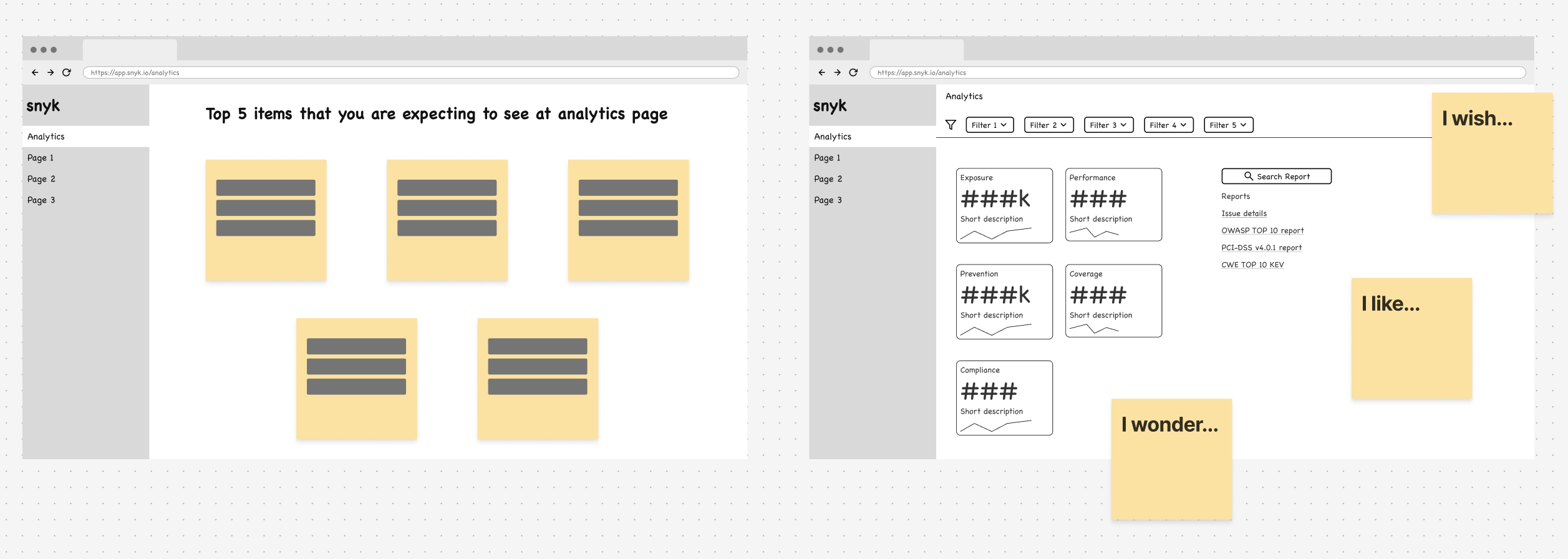
Run workshop sessions with customers
โ€ขย  Top-of-mind metrics exercise ( Left) ย โ†’ uncover which numbers users instinctively track or report first.
โ€ข ย Wireframe Design review (ย right) ย โ†’ tested early explorations with internal stakeholders and select customers.

Figure 2: Design methods diagram

From Patterns to a New Analytics Model (JTBD)

Through interviews, workflow mapping, and real dashboard reviews, I identified five core Jobs-to-be-Done that Analytics needed to support:
1. Strategic evaluation
2. Investment justification
3. Investigation & prioritization
4. Monitoring & reporting
5. Collaboration

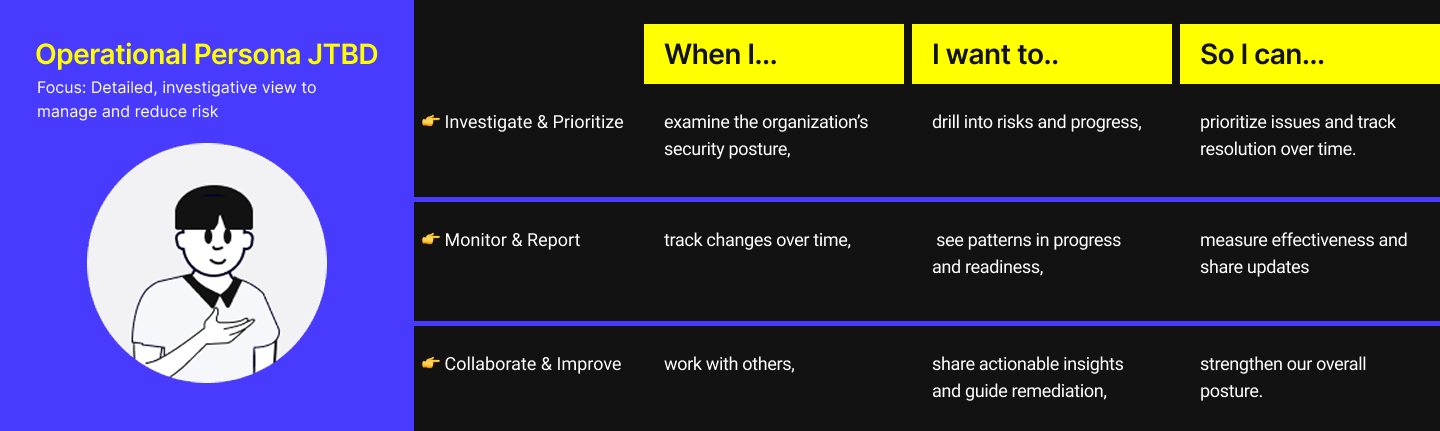
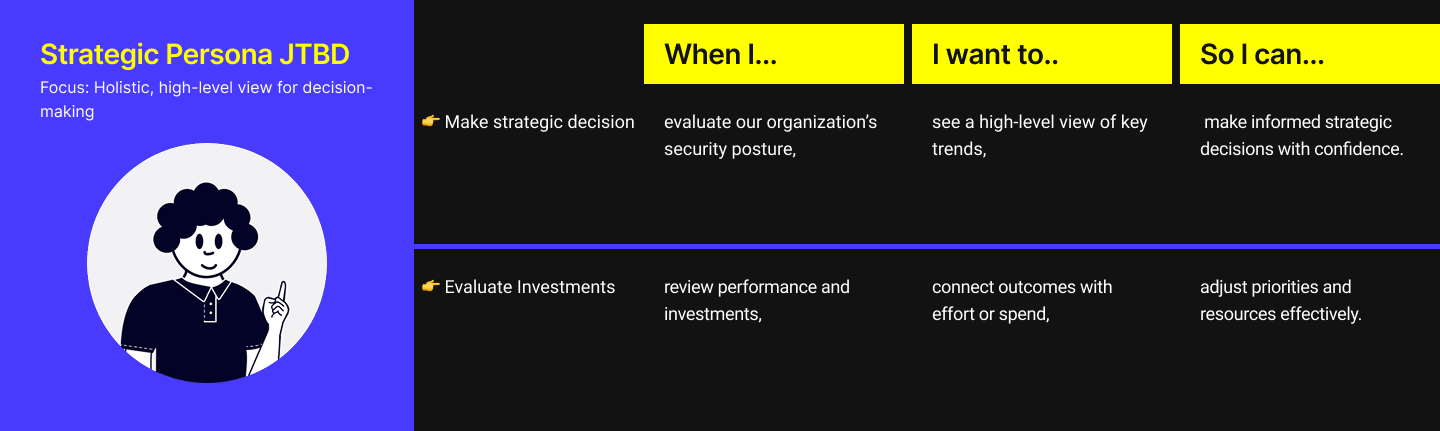
Using these insights, I created Jobs-to-Be-Done models for our two primary personas:

Figure 3: Strategic persona JTBD

Figure 4: Operational persona JTBD

Analytics model

Zooming out from the JTBD, a universal analytics flow emerged:

๐Ÿ“ˆ Question - Each begins with an intent or a prompt.
โ€ข Strategic persona: โ€œAre we improving overall?โ€
โ€ข
Operational persona: โ€œWhere are the risks?โ€
โ€
๐Ÿ“ˆ
Explore Data - They navigate metrics or drill deeper into details.
โ€
๐Ÿ“ˆ Summarize & Interpret - They review trends, patterns, or comparisons to form an understanding of the situation.
โ€
๐Ÿ“ˆ ย Act on Insights - They take action based on findings.
โ€ข Strategic persona: Shares or presents summaries to leadership.
โ€ข Operational persona: Prioritizes issues, assigns tasks, or communicates progress.

Figure 5: Analytic model storyboard

Initial Sketch

I sketched multiple flows exploring how AI could simplify the experience:
๐Ÿ“ˆ Ask a question โ†’ AI insights
๐Ÿ“ˆ Search field โ†’ AI insights
๐Ÿ“ˆ Hybrid: predefined dashboards + ย AI insights
๐Ÿ“ˆ Hybrid: filters + ย AI insights

Figure 6: Initial sketch

Interaction Flow

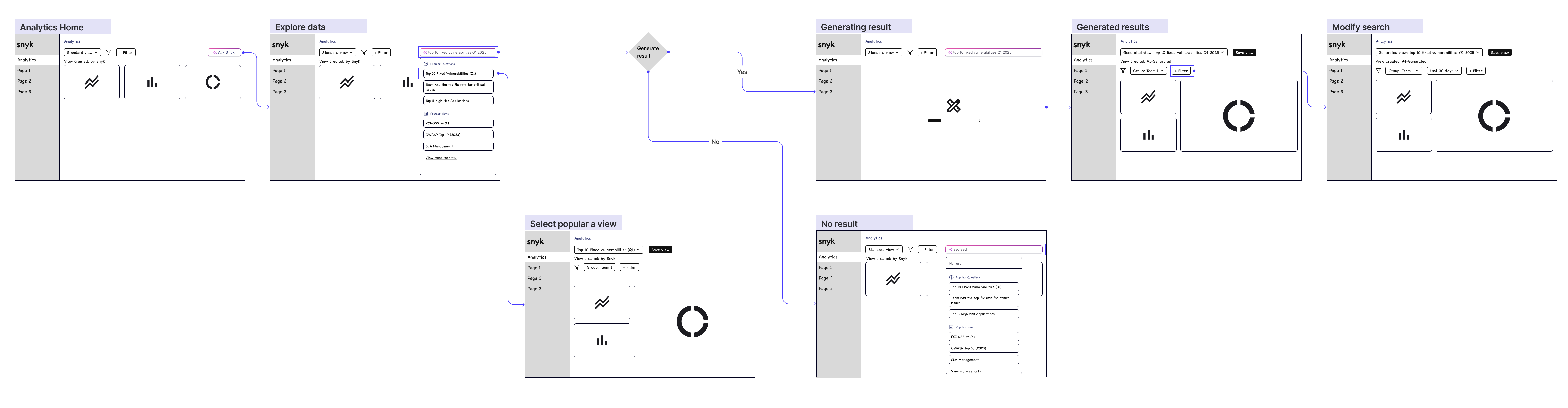
The early interaction model mapped the user journey:
๐Ÿ“ˆ Explore data โ†’ drill into relevant report
๐Ÿ“ˆ Ask a question โ†’ result โ†’ refine โ†’ drill further
๐Ÿ“ˆ Select a saved view โ†’ interpret โ†’ act
This visualized the shift toward a question-first analytics experience.

Figure 7: Interaction flow (early draft)

Data Visualization Principles

To ensure clarity and consistency, I defined four principles now used across Snykโ€™s analytics visuals:

๐Ÿ“ˆ ย Highlight what matters โ€” Reduce noise; emphasize trends
๐Ÿ“ˆ ย Support exploration โ€” Layered drill-down paths
๐Ÿ“ˆ ย Respect hierarchy โ€” Clear reading order and scannability
๐Ÿ“ˆ ย Standardize visuals โ€” Consistent chart types and interactions

Figure 8: Experimenting with different visualization approaches to balance clarity and actionability.

Prototype

I created a Figma prototype demonstrating:
๐Ÿ“ˆA question-first analytics flow
๐Ÿ“ˆ
Inline AI chat for ad-hoc queries and saved custom views
๐Ÿ“ˆ Layered drill-through that reduced cognitive overload
โ€